Keep Shut
A downloadable tool for Windows
Tired of that same old app popping up during your gaming sessions and minimizing your game?
Sick of seeing the program constantly reappear among active processes even after you've closed it?
Fed up with shutting down an application only to find 12 of its processes still running and consuming your resouces?
Keep Shut is the utility app you've been waiting for!
With this completely free program, I solved the issue that most plagued my Windows gaming experience.
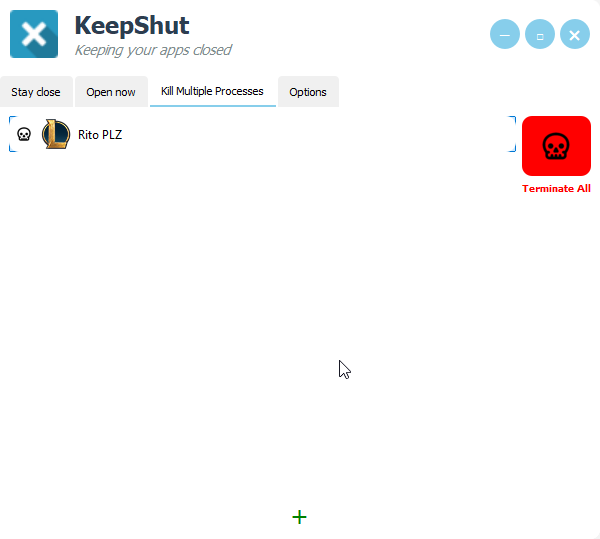
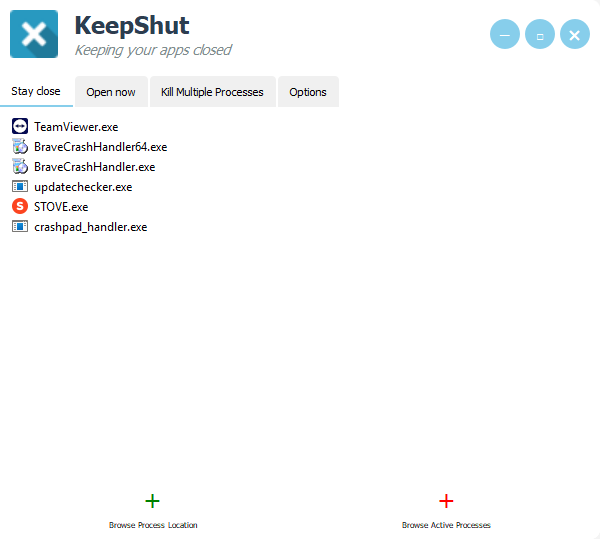
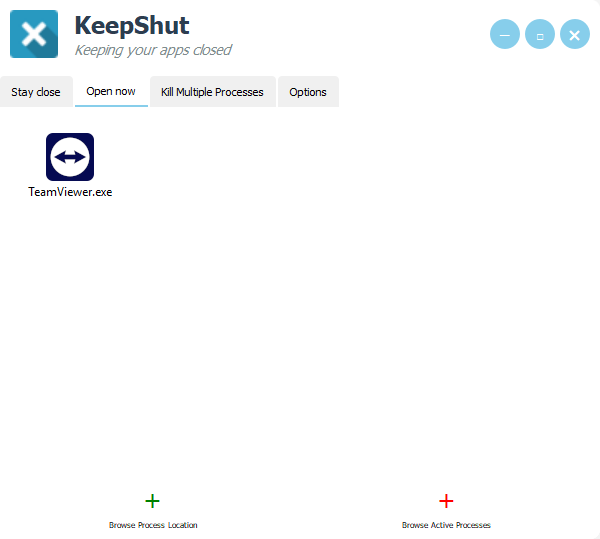
You can select which applications to keep closed using the “Stay close” feature, while still being able to launch them from the “Open now” slide—or even add a quick-access dashboard of your favorite apps. Want to close entire process trees? You can! For example, I added the 11 background processes of a very famous MOBA, so when I shut it down, all 11 are terminated—not just one!
⚠️ Use with caution: ⚠️
Automatically closing applications can be risky, especially if they’re system-related. Handle everything carefully. This program has no commercial purpose—it's up to you to fine-tune your PC to the max.
Thanks!
~~~~~~~~~~~~~~~~~~~~~~~~~~~~~~~~~~~~~~~~~~~~~~~~~~~
Stay Close: You can add application and those will be shut down every time they are opened automatically. You are also unable to run them as long those are listed
In the “Open Now” tab, you can run applications even if they’re listed in the previous tab. It also works as a handy mini dashboard for quickly launching your favorite apps.
"Kill Multiple Processes”
lets you choose a list of processes to manually terminate all at once.
I added the 11 core processes of a popular MOBA, so when I shut it down, all 11 are properly terminated and don’t linger in the background.
Download
Install instructions
The installer is custom made. Just install it
Leave a comment
Log in with itch.io to leave a comment.